> ## Documentation Index
> Fetch the complete documentation index at: https://www.adspirer.com/docs/llms.txt
> Use this file to discover all available pages before exploring further.
# Connect Perplexity to Ad Platforms | Adspirer
> Connect Perplexity to Adspirer via MCP connector. Manage Google, Meta, Amazon, ChatGPT Ads, LinkedIn, and TikTok Ads with 400+ tools from Perplexity Computer's AI agent.
Search-powered ad management. Connect Adspirer to Perplexity Computer and combine real-time web research with 400+ advertising tools across Google Ads, Meta Ads, Amazon Ads, ChatGPT Ads, LinkedIn Ads, and TikTok Ads.
## Prerequisites
* A Perplexity **Pro**, **Max**, or **Enterprise** subscription (connectors are not available on the free tier)
* An Adspirer account ([free to start](https://adspirer.ai/sign-up?utm_source=docs\&utm_medium=page\&utm_content=signup))
* At least one ad platform account: Google Ads, Meta Ads, Amazon Ads, ChatGPT Ads, LinkedIn Ads, or TikTok Ads
## Setup (2 Minutes)
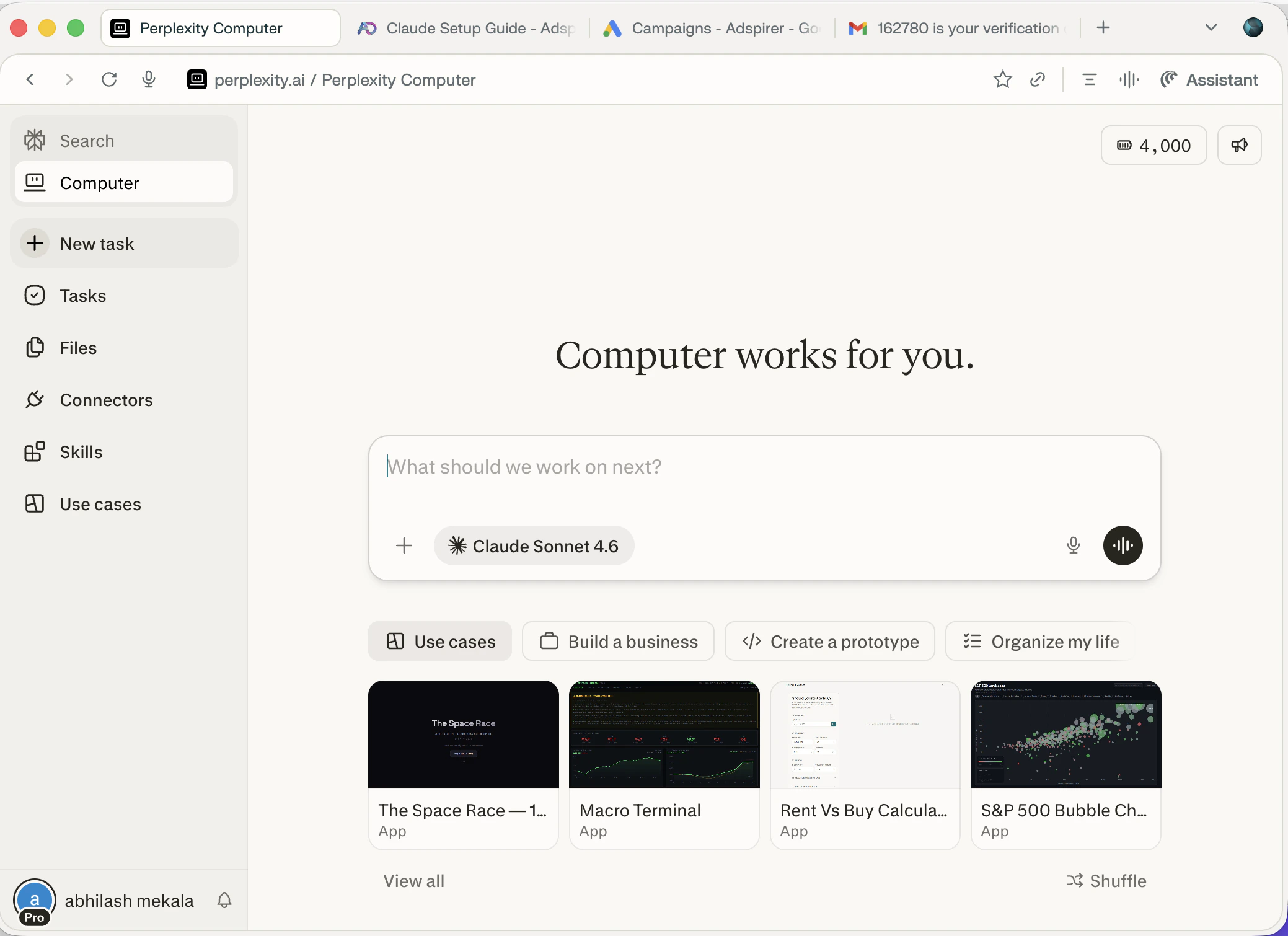
Go to [perplexity.ai](https://www.perplexity.ai) and click **Computer** in the left sidebar. You need a Pro, Max, or Enterprise subscription to access Computer and Connectors.
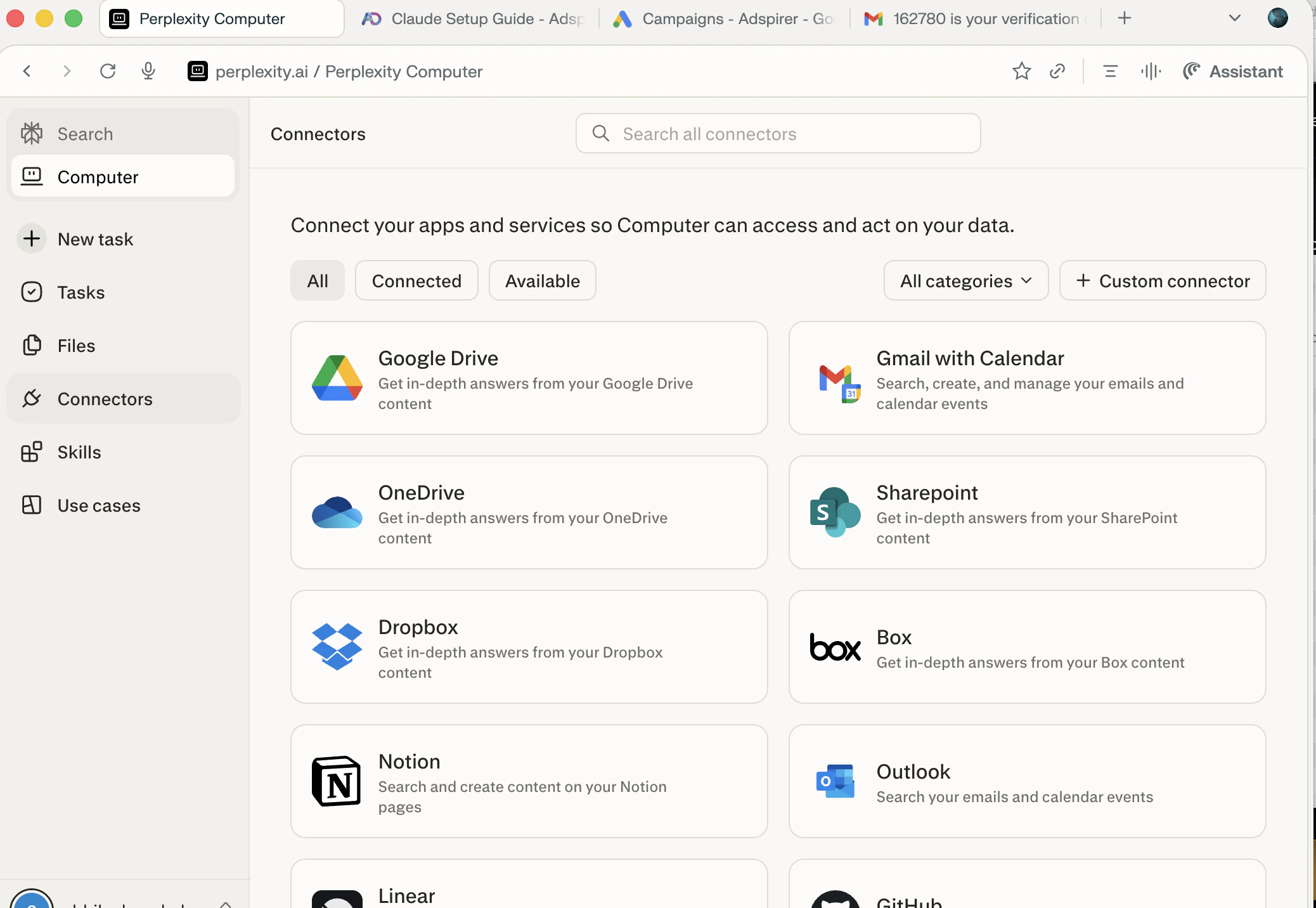
Click **Connectors** in the left sidebar to see all available connectors. Then click **+ Custom connector** in the top-right corner.
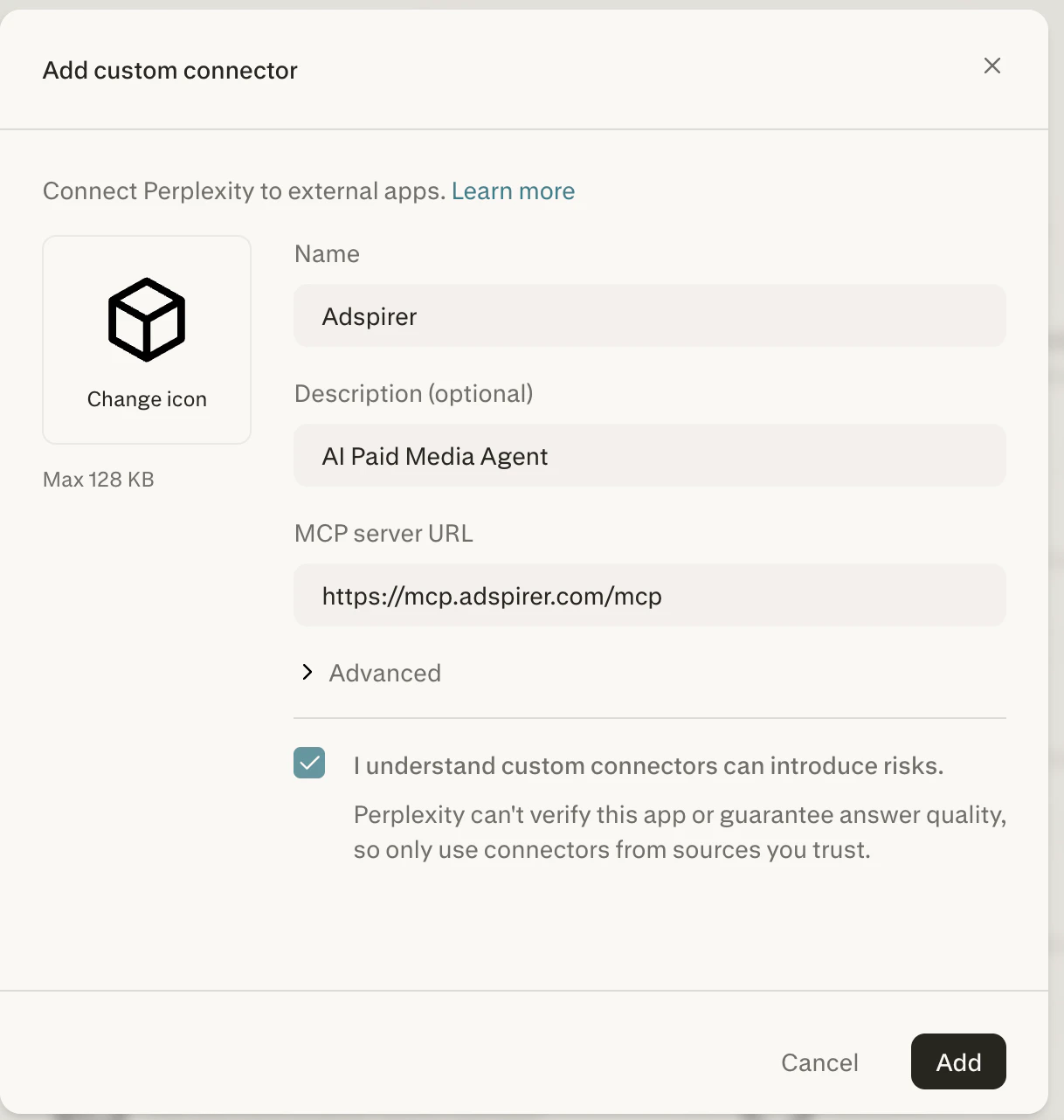
In the **Add custom connector** dialog, fill in:
| Field | Value |
| ------------------ | ------------------------------ |
| **Name** | `Adspirer` |
| **Description** | `AI Paid Media Agent` |
| **MCP Server URL** | `https://mcp.adspirer.com/mcp` |
Check the **"I understand custom connectors can introduce risks"** checkbox, then click **Add**.
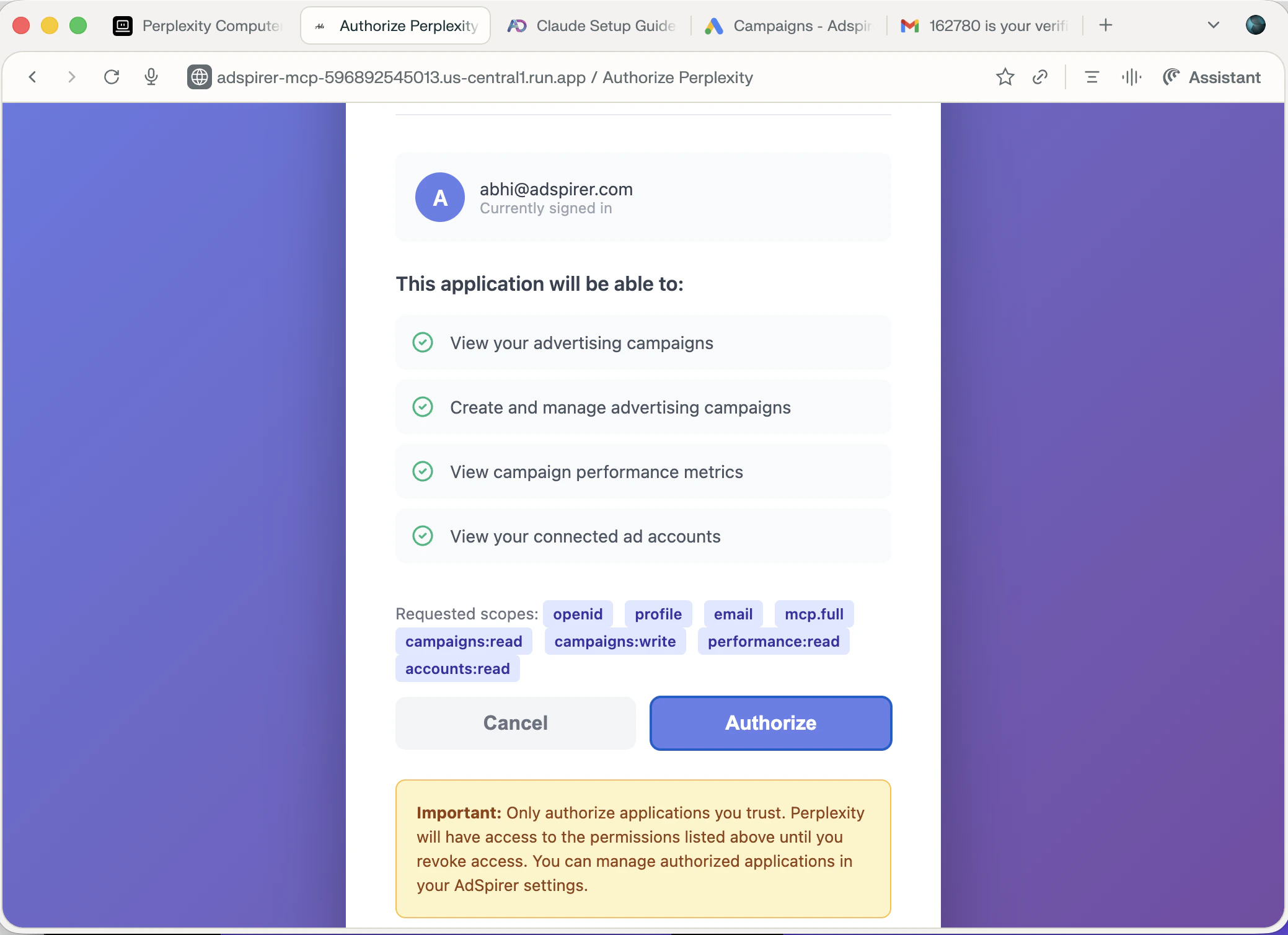
Perplexity opens Adspirer's OAuth page. Sign in and authorize access to your ad accounts. You'll see the specific permissions being requested — view campaigns, create ads, view performance metrics, and view connected accounts.
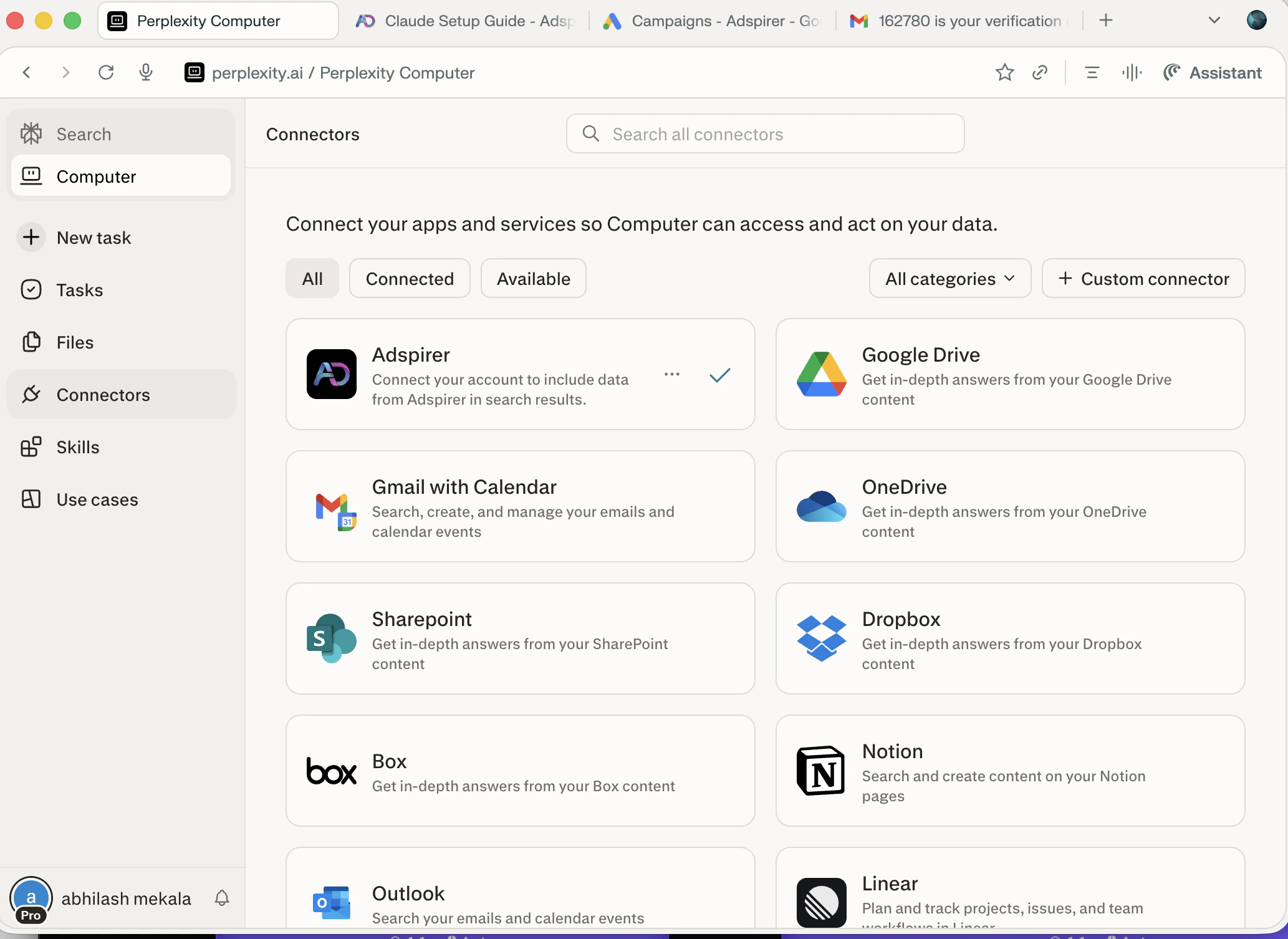
After authorization, you'll return to the Connectors page. Adspirer appears with a green checkmark indicating it's connected and ready.
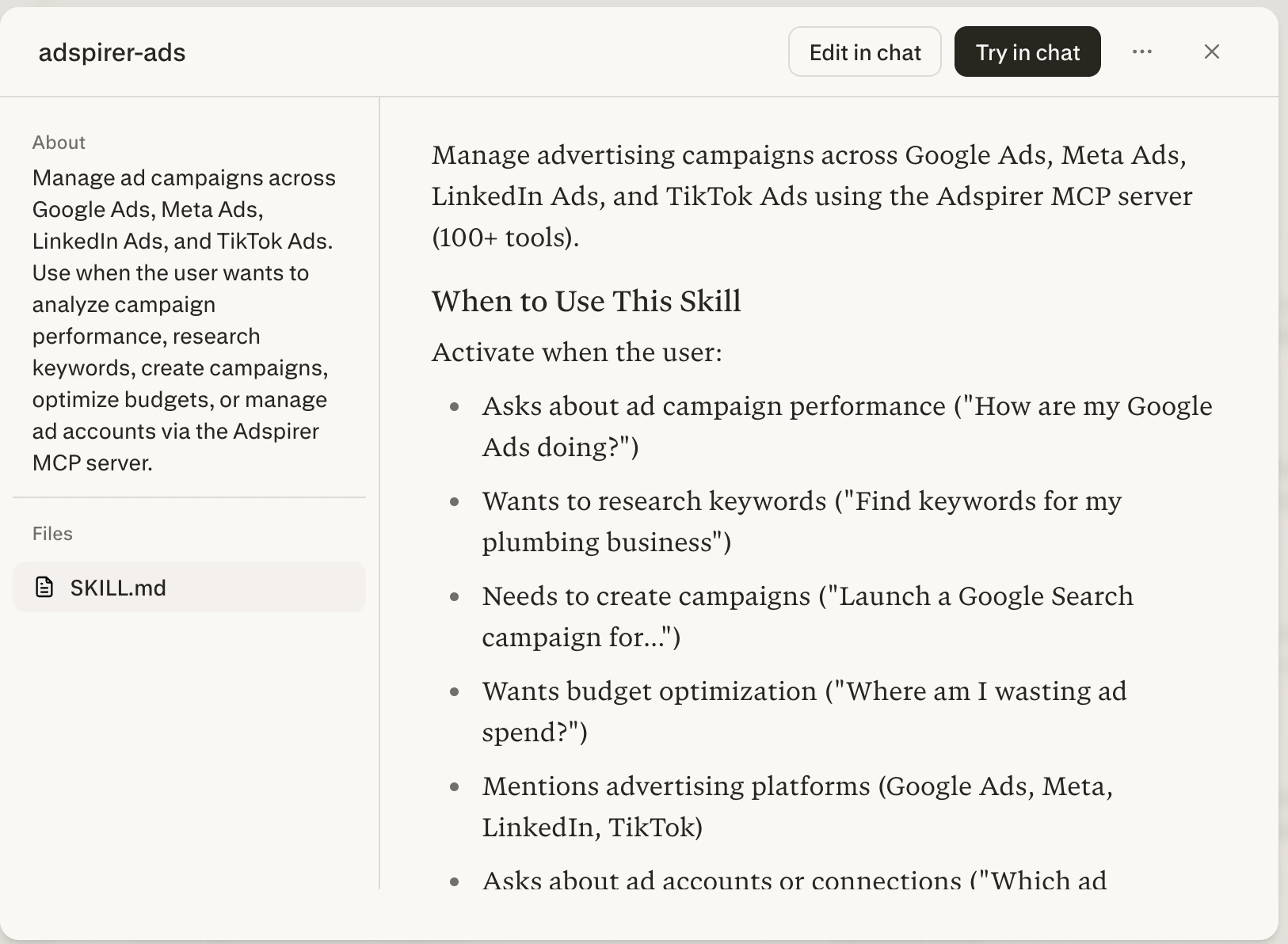
Skills teach Perplexity Computer the *right way* to use Adspirer's 400+ tools — which tools to call first, how to validate data before creating campaigns, when to ask for confirmation. Without a skill, Computer guesses the tool order. With it, Computer follows proven advertising workflows.
1. Download the SKILL.md file from GitHub:
Click to download the `adspirer-ads` skill file.
2. In Perplexity Computer, click **Skills** in the left sidebar
3. Click **+ Create skill** in the top-right corner
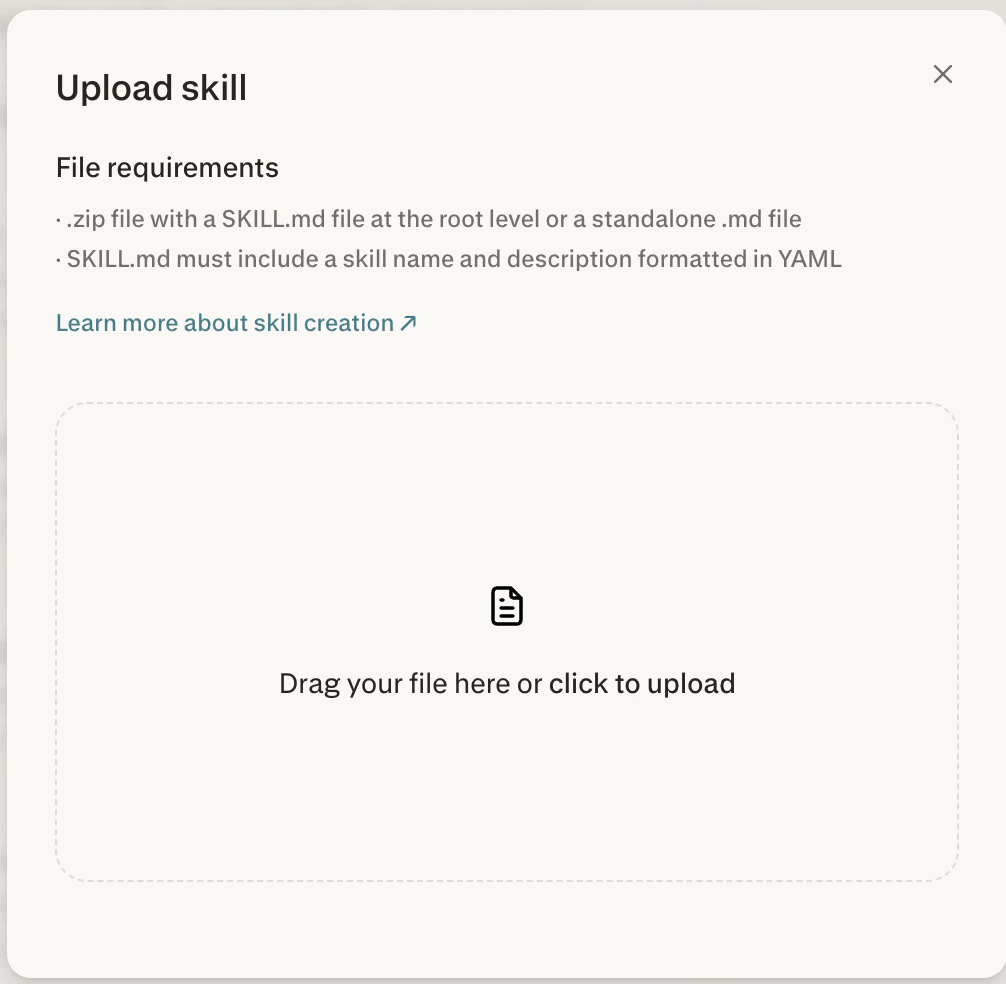
4. In the **Upload skill** dialog, drag the downloaded `SKILL.md` file or click to upload it
5. The skill appears as **adspirer-ads** in your Skills list. Perplexity applies it automatically when you ask about advertising.
The skill file is maintained in the [ads-mcp GitHub repository](https://github.com/amekala/ads-mcp/blob/main/shared/skills/adspirer-ads/SKILL.md) and always reflects the latest tools and workflows. Check back for updates as new platforms and tools are added.
Go back to Perplexity Computer and start a new task. Adspirer's 400+ tools are now available:
```
Check my connected ad platforms
```
You should see a table showing your connected accounts across all platforms with account IDs, names, and connection status.
15 free tool calls/month. No credit card required. Connect your ad accounts in 2 minutes.
You're connected. Perplexity Computer will automatically use Adspirer tools when you ask about your ad campaigns.
## MCP Server Configuration
```
Name: Adspirer
Description: AI Paid Media Agent
MCP Server URL: https://mcp.adspirer.com/mcp
Authentication: OAuth (auto-discovered)
Required Plan: Perplexity Pro, Max, or Enterprise
```
## Why Perplexity for Advertising
Perplexity combines real-time search with ad management — a unique combination:
* **Search-Augmented Research** — Perplexity searches the web in real-time. Ask it to research competitors, analyze market trends, or find industry benchmarks *before* creating campaigns. No other MCP client does this natively.
* **Perplexity Computer** — An autonomous agent that can plan, execute, and iterate on multi-step advertising workflows. Create a full campaign from a single prompt.
* **Multi-Model Orchestration** — Computer routes subtasks to the best AI model for each job (writing ad copy, analyzing data, generating reports).
* **400+ App Integrations** — Beyond Adspirer, connect Gmail, Slack, Notion, and more. Build end-to-end marketing workflows.
## What You Can Do
400+ tools across 6 ad platforms:
| Platform | Tools | Key Capabilities |
| ---------------- | ----- | --------------------------------------------------------------------------------------------------------------------- |
| **Google Ads** | 147 | Keyword research with real CPC data, Search & PMax campaigns, wasted spend analysis, budget optimization |
| **Amazon Ads** | 61 | Sponsored Products, Brands & Display, ASIN/keyword targeting, ACOS & ROAS analytics, budget recommendations |
| **Meta Ads** | 54 | Image/video/carousel campaigns, audience targeting, creative fatigue detection |
| **LinkedIn Ads** | 55 | Sponsored content, lead gen forms, B2B targeting by job title, industry, seniority |
| **TikTok Ads** | 37 | In-feed campaigns, asset validation, performance analysis |
| **ChatGPT Ads** | 31 | Pay-per-click chat-card ads inside ChatGPT responses, launch orchestrator, conversions (pixel + CAPI); created paused |
## Example Prompts
### Research + Campaign Creation
Research my top competitors for "AI marketing tools", analyze their Google Ads strategy,
then create a Google Search campaign targeting keywords they're bidding on.
Budget: \$50/day. Research keywords first, then group by intent.
### Cross-Platform Performance Audit
Audit all my ad accounts for the last 30 days:
* Google: find wasted spend (keywords with clicks but zero conversions)
* Meta: check for creative fatigue (frequency > 3, declining CTR)
* LinkedIn: compare CPA across audience segments
Give me a prioritized action list with estimated monthly savings.
### Market Research + Campaign
I'm launching a B2B SaaS for project management.
Research the market landscape — who are the top players, what are they spending on ads?
Then research Google Ads keywords and create a Search campaign targeting
high-intent keywords with \$40/day budget.
## Perplexity Computer: Autonomous Workflows
Perplexity Computer (available on Max and Enterprise plans) can execute complex, multi-step advertising workflows autonomously:
| Workflow | What Computer Does |
| --------------------- | --------------------------------------------------------------------------------------- |
| **Campaign launch** | Researches competitors → finds keywords → validates assets → creates campaign (PAUSED) |
| **Performance audit** | Pulls data from all platforms → identifies wasted spend → recommends optimizations |
| **Market research** | Searches the web for industry trends → pulls your ad data → compares against benchmarks |
| **Daily brief** | Fetches performance metrics → formats a summary → sends via email |
Perplexity Computer can chain web research with Adspirer tools in a single workflow. For example, it can search the web for competitor ad copy, then use Adspirer to create campaigns that differentiate from competitors — all from one prompt.
## FAQ
Perplexity Computer is an autonomous AI agent that can plan, coordinate, and execute complex multi-step tasks. It orchestrates multiple AI models and integrates with 400+ apps. When connected to Adspirer, it gains direct access to your ad accounts and can run advertising workflows autonomously.
MCP connectors are available on Perplexity Pro ($20/month), Max ($200/month), and Enterprise plans. The free tier does not include connector functionality. Perplexity Computer (for autonomous workflows) requires Max or Enterprise.
All three use the same Adspirer MCP server, so the 400+ advertising tools are identical. Perplexity's advantage is built-in web search — it can research competitors, market trends, and industry benchmarks in real-time, then immediately act on that research using Adspirer tools. ChatGPT and Claude don't have native real-time search.
Yes. Your Adspirer account works across all platforms. Connect the same MCP URL to Perplexity, ChatGPT, Claude, Cursor, or any MCP-compatible client. Your ad account connections carry across all of them.
Yes. Perplexity Computer supports skills — upload a `SKILL.md` file via **Computer → Skills → + Create skill**. The `adspirer-ads` skill teaches Computer proven advertising workflows and is available in the [ads-mcp GitHub repo](https://github.com/amekala/ads-mcp/blob/main/shared/skills/adspirer-ads/SKILL.md). Perplexity applies skills automatically when relevant to your prompt.
Adspirer pricing is based on tool calls, not ad spend. Free tier: 15 calls/month. Plus: $49/mo for 150 calls. Pro: $99/mo for 600 calls. Max: \$199/mo for 3,000 calls. See [full pricing](https://www.adspirer.com/pricing). Perplexity's subscription is separate.
This is a standard Perplexity warning for all custom (third-party) connectors. Adspirer uses OAuth 2.1 with PKCE — the same security standard used by banking apps. Your ad platform credentials are never shared with Perplexity. See [Security](/docs/knowledge-base/security) for details.
## Related Documentation
* [ChatGPT Setup](/docs/ai-clients/chatgpt) — ChatGPT's MCP connector
* [Claude Setup](/docs/ai-clients/claude) — Claude's native MCP integration
* [Claude Code Setup](/docs/ai-clients/claude-code) — Terminal-based setup for developers
* [Google Ads Integration](/docs/ad-platforms/google-ads) — Full Google Ads tool reference
* [Agent Skills Overview](/docs/agent-skills/overview) — Teach your AI the right workflows
* [Pricing & Plans](https://www.adspirer.com/pricing)
 5. The skill appears as **adspirer-ads** in your Skills list. Perplexity applies it automatically when you ask about advertising.