Adspirer Is Now an Official Claude Code Plugin
Adspirer Team
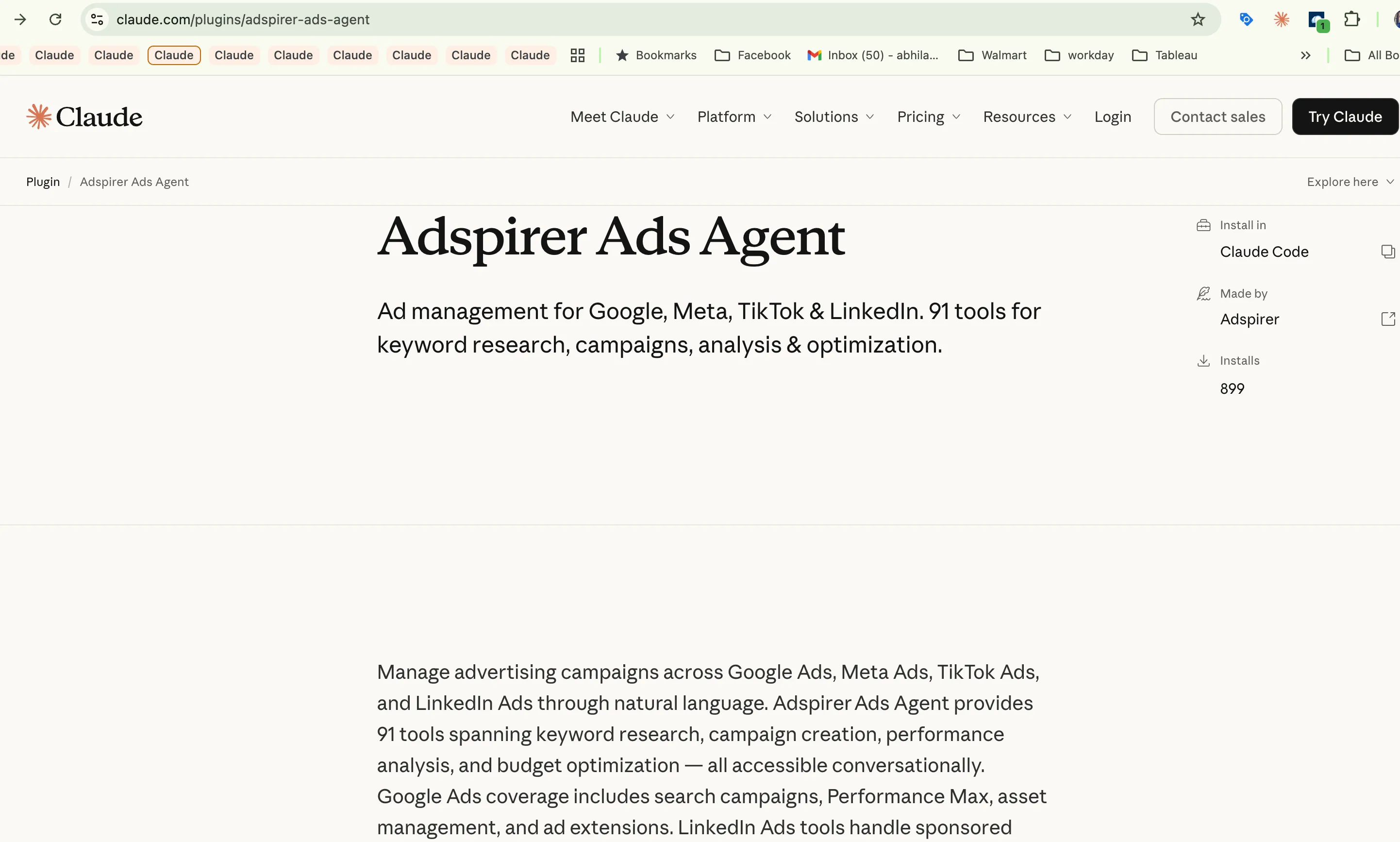
Adspirer is now an official plugin in the Claude Code and Cowork marketplace. One command — /plugin install adspirer-advertising-agent@adspirer-marketplace — installs 400+ advertising tools across six platforms (Google, Meta, Amazon, ChatGPT Ads, LinkedIn, and TikTok), with built-in skills, safety rules, and brand-aware workflows.
We’re excited to announce that Adspirer is now available as an official plugin in the Claude Code plugin marketplace. This means you can install it with a single command — no manual MCP configuration, no cloning repos, no copying skill files.
Just type /plugin, search for “Ads”, and you’re managing campaigns from Claude in under a minute.
What This Means
Previously, connecting Adspirer to Claude Code required manual setup — adding the MCP server URL, installing skills separately, configuring agent files. It worked, but it was friction. The official plugin removes all of that.
Before: 5-6 manual steps across config files and terminal commands.
Now: One command. Everything is bundled — the MCP server, 91 tools, built-in best practices, and safety confirmations. The plugin handles authentication, tool discovery, and workflow guidance automatically.
How to Install
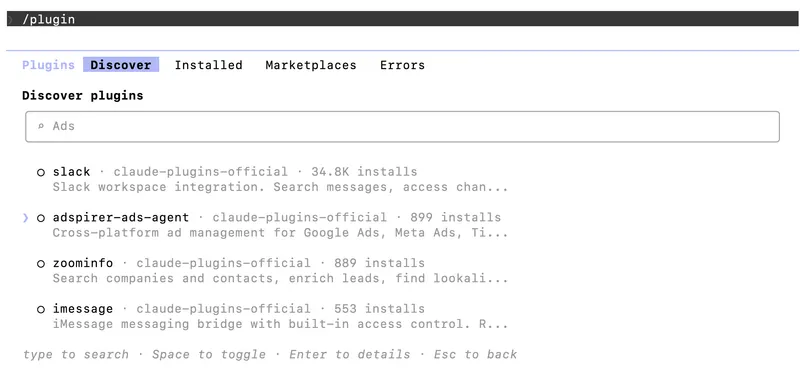
Open the Plugin Browser
In Claude Code or Cowork, type /plugin and search for “Ads”. You’ll see adspirer-advertising-agent from adspirer-marketplace.
View Plugin Details
Select the plugin to see what’s included: cross-platform ad management for Google Ads, Meta Ads, TikTok Ads, and LinkedIn Ads. 91 tools for keyword research, campaign creation, performance analysis, and budget optimization.
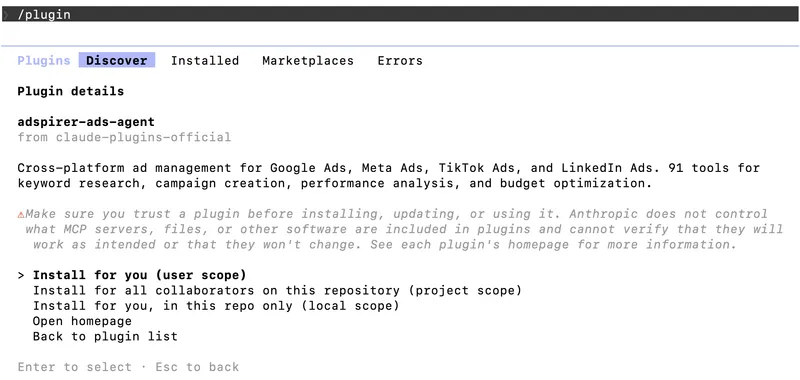
Install
Choose your install scope — for you only, for your repository, or for all collaborators. The plugin installs instantly.

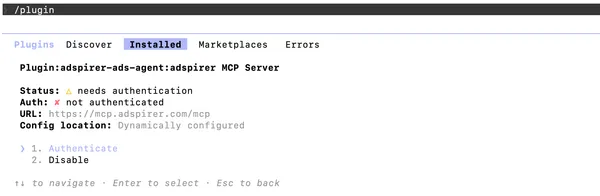
Authenticate
The plugin sets up the MCP server automatically. Select Authenticate to connect your Adspirer account via OAuth.
Authorize Your Ad Accounts
Your browser opens to Adspirer’s OAuth page. Sign in and authorize access to your advertising campaigns. The connection uses OAuth 2.1 — your ad account credentials are never stored locally.
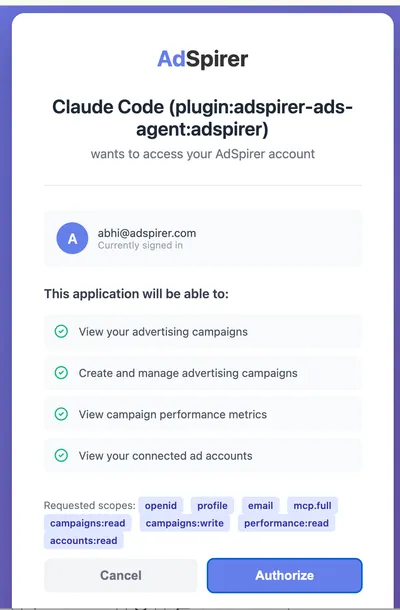
That’s it. Run /reload-plugins and you’re ready to manage ads from Claude.
What’s Included
The plugin bundles everything you need:
| Feature | Details |
|---|---|
| 91 tools | Campaign creation, keyword research, performance analysis, budget optimization, ad copy, extensions |
| 4 platforms | Google Ads, Meta Ads, LinkedIn Ads, TikTok Ads |
| Built-in best practices | The plugin includes workflow guidance — research before creating, validate before launching, confirm before spending |
| Safety confirmations | All campaigns create paused. Budget changes require your approval. No surprises. |
| OAuth 2.1 | Secure authentication. Credentials never stored locally. Revoke anytime. |
What You Can Do
Once installed, just describe what you want in natural language:
For Teams
If you’re on Claude Team or Enterprise, an admin can install the plugin once for the entire organization. Each team member authenticates individually with their own ad accounts, but everyone gets the same tools and workflows.
Get Started
The plugin is free to install. Adspirer’s free tier gives you 15 tool calls/month — enough to test the connection and run a few analyses. Paid plans start at $49/month for 150 calls.
Already using Adspirer with Claude web, ChatGPT, or Cursor? Your existing account works with the plugin. Same MCP server, same ad account connections. Install the plugin and you’re ready to go — no re-authentication needed if you’ve already connected.
Related Articles
More articles to read

Claude Cowork for Marketers: Ads, Reports, Automation
Use Claude Cowork for Google Ads and marketing: connect live ad accounts, work from brand files, run analyses, build reports, and schedule reviews.
![How to Set Up Your AI Marketing Agent with Claude Code [2026]](/blog/_astro/hero-setup-ai-marketing-agent-claude-code.CJBfftSN_Zi4xAG.webp)
How to Set Up Your AI Marketing Agent with Claude Code [2026]
Install the Adspirer plugin, create your brand workspace, configure sub-agents, and run your first ad performance check — all from the Claude Code CLI.
![How to Set Up Your AI Marketing Agent with Codex [2026]](/blog/_astro/hero-setup-ai-marketing-agent-codex.BJvepCix_Z183bXJ.webp)
How to Set Up Your AI Marketing Agent with Codex [2026]
Step-by-step guide to installing OpenAI Codex, connecting ad platforms, creating your brand workspace, and running your first autonomous ad performance check.

Pipeboard vs Adspirer: Meta Ads MCP Compared (2026)
Pipeboard vs Adspirer for Meta Ads in 2026 — Meta depth, multi-platform coverage, safety rails, pricing and free-plan limits, and when each is the right pick.