Autonomous agents that
run your ad ops.
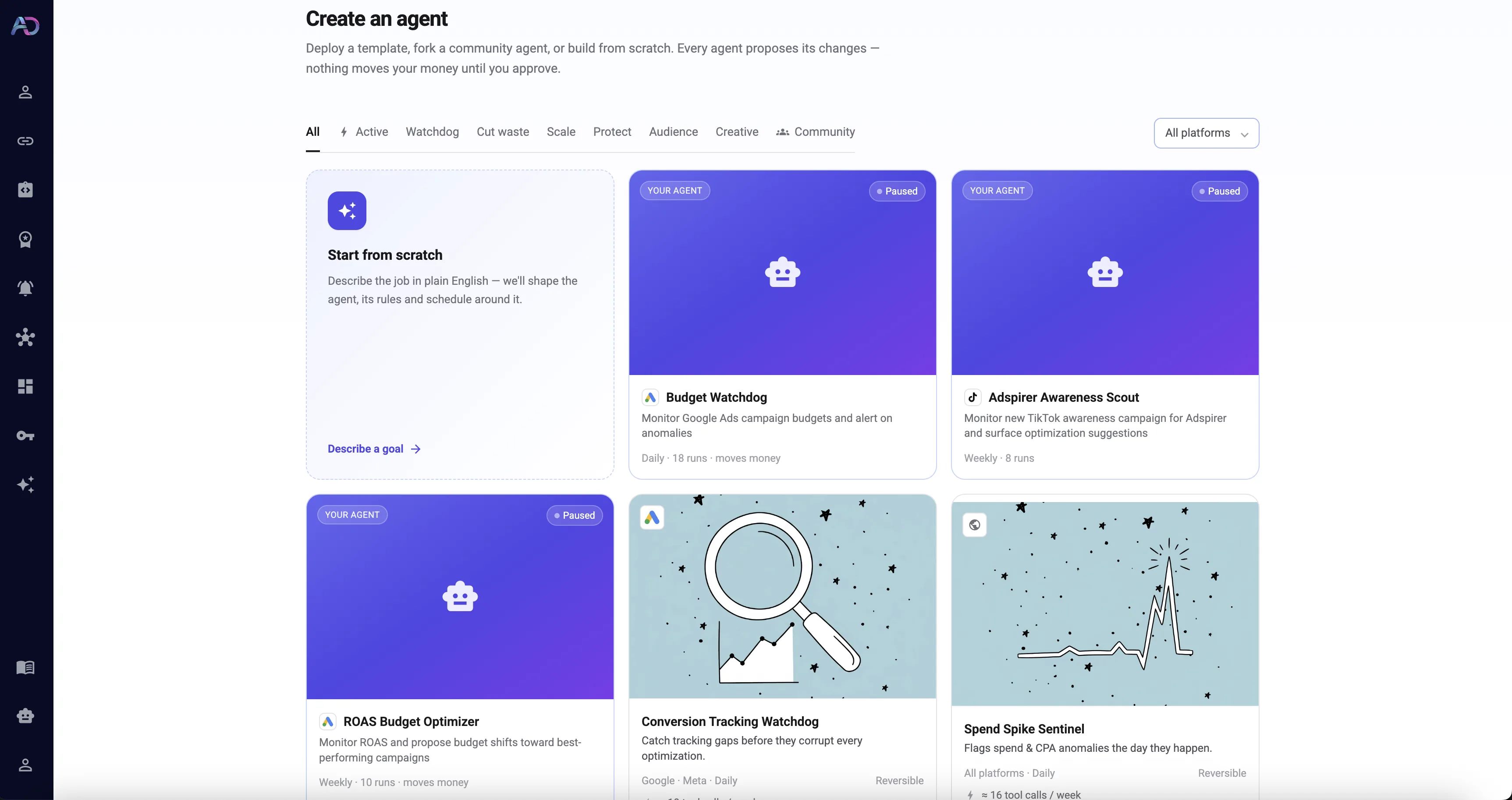
Pick a ready-made agent or describe your own goal in plain English — every one runs on the same guardrails.
Three levels of autonomy. One dial.
Start with an agent that only watches. Move to one that proposes. Graduate to one that acts on its own. Change the level whenever you like — it's a single toggle per agent.
Watch & Alert
It keeps an eye on things, so you don't have to.
A pure monitor. The agent reviews your accounts on a schedule, and the moment something drifts — a broken conversion tag, a spend spike, a campaign that quietly stopped delivering — it emails you. It never touches your campaigns.
- Daily checks across every connected account
- Instant email the moment something breaks
- Zero changes made — watch-only by design
Best for: tracking watchdogs, spend sentinels, delivery monitors.
Propose & Approve
It does the analysis and hands you the decision.
The agent finds the opportunity, works out the fix, and drops a concrete proposal in your inbox — "pause this, add these negatives, shift this budget." You review it and approve with one tap. Nothing happens until you say yes.
- Evidence-backed recommendations, not guesses
- One-tap approve or dismiss in the Approvals inbox
- Every proposal tied to your own performance data
Best for: hands-on optimization with a human in the loop.
Auto-Apply
It acts on your behalf — reversibly, and only if you opt in.
When you're ready, flip an agent to fully autonomous. It applies safe, reversible changes on its own and sends you a digest of everything it did, with an undo link on every action. You turn it on per-agent, and off any time.
- Opt-in per agent, with recorded consent
- Reversible actions only — budgets, bids, pause/resume, negatives
- Never deletes anything; digest email + one-click undo
Opt-in. Reversible actions only. Deletion is never automated.
What your agents actually do
Not a chatbot that waits for you to ask. A media buyer that shows up every day and does the work.
Catch what breaks
Broken conversion tracking, campaigns that stopped delivering, sudden spend spikes — the agent finds it on its daily pass and tells you before it costs you a week of budget.
Trim wasted spend
It reviews search terms and audiences, finds the queries burning money with nothing to show, and recommends negatives and exclusions — with the numbers to back each one.
Move budget to what works
It reads performance across your campaigns and proposes shifting spend toward the ones actually converting — bids, budgets, and pacing, all reversible.
Judge against your own data
Every recommendation is measured against that account's own history, not generic benchmarks. If the evidence isn't strong enough, the agent says so instead of guessing.
Work across platforms
One agent can watch Google, Meta, TikTok and LinkedIn together — reasoning about your whole account, not one channel in isolation.
Remember & self-correct
Agents remember what they found last run, revisit their own open items, and close out anything that's since resolved — so your inbox stays signal, not noise.
Build an agent in four steps
From a sentence to a working agent in a couple of minutes. No code, no complex setup.
Describe the goal
Write what you want in plain English — "watch my LinkedIn campaigns and flag anything spending with no leads." No rules engine, no config files.
It maps goal to actions
Adspirer turns your goal into an exact set of allowed moves. A watch goal proposes nothing; an optimization goal gets a tight, on-topic action list — never more than you asked for.
Set the guardrails
Pick the autonomy level, scope it to the right accounts, and set your limits. Vague goals are resolved with you up front, so an agent can never quietly become a money-mover.
Activate & let it run
It runs on schedule from then on — reviewing accounts, remembering what it found last time, and alerting, proposing, or acting exactly as you allowed.
Autonomy with the brakes wired in
Handing an agent the keys to your ad accounts is a big deal. So every level of autonomy comes with rails that make sure it can never do more than you allowed.
Human-in-the-loop by default
Every new agent starts by asking permission. Autonomy is something you grant, not the default.
Deletion is never automated
Agents can pause, resume, and adjust — but they never delete campaigns, ad sets, or ads. Ever.
Every action is reversible
Auto-apply only touches changes that can be undone — and each one ships with a one-click undo link.
Reversible-only allowlist
Auto-apply is restricted to a fixed set of safe actions: budgets, bids, pause/resume, negatives, targeting. Everything else waits for you.
Told, never surprised
After any run that acts on your behalf, you get a digest of exactly what changed and why — in email and in-app.
Kill switch, any time
Pause an agent, dial its autonomy back down, or shut it off entirely with one click. You're always the one holding the switch.
Who puts agents to work
However you run ads today, an agent takes the repetitive part off your plate.
One analyst per client, running overnight.
Point an agent at each client account. It audits, flags anomalies, and drafts the optimizations — so your team walks in to a prioritized list, not a blank dashboard. Scale your roster without scaling headcount.
A media buyer you don't have to hire.
You don't have time to babysit ad accounts. An agent keeps spend efficient, catches the leaks, and only pulls you in for the calls that matter. Set it to auto-apply the safe stuff and stay hands-off.
The busywork, handled.
Free your marketers from the daily grind of negative-keyword sweeps, pacing checks, and tracking audits. Agents do the repetitive maintenance; your team does the strategy.
Frequently asked questions
What to know before you put an agent to work.
Put an agent on your ad accounts
Start free, connect your platforms, and give your first agent a goal in minutes.