

Create Google Ads Campaigns From Your Terminal
Prerequisites
- Claude Code installed:
- An Adspirer account (free to start)
- At least one ad platform account: Google Ads, Meta Ads, Amazon Ads, ChatGPT Ads, LinkedIn Ads, or TikTok Ads
- macOS or Linux (Windows requires WSL)
Setup
Install
Adding Adspirer’s plugin marketplace once, then installing the plugin, sets up the MCP connector, slash commands, skills, and the Performance Marketing Agent together./plugin, /mcp, and /reload-plugins commands below are slash commands — type them directly into the Claude Code input. Do not ask the AI to run them for you (that will cause a “nested session” error).Add the Adspirer Marketplace
/plugin to open the plugin manager. The UI has four tabs — Discover, Installed, Marketplaces, Errors — cycle with Tab. Switch to Marketplaces, then select + Add Marketplace.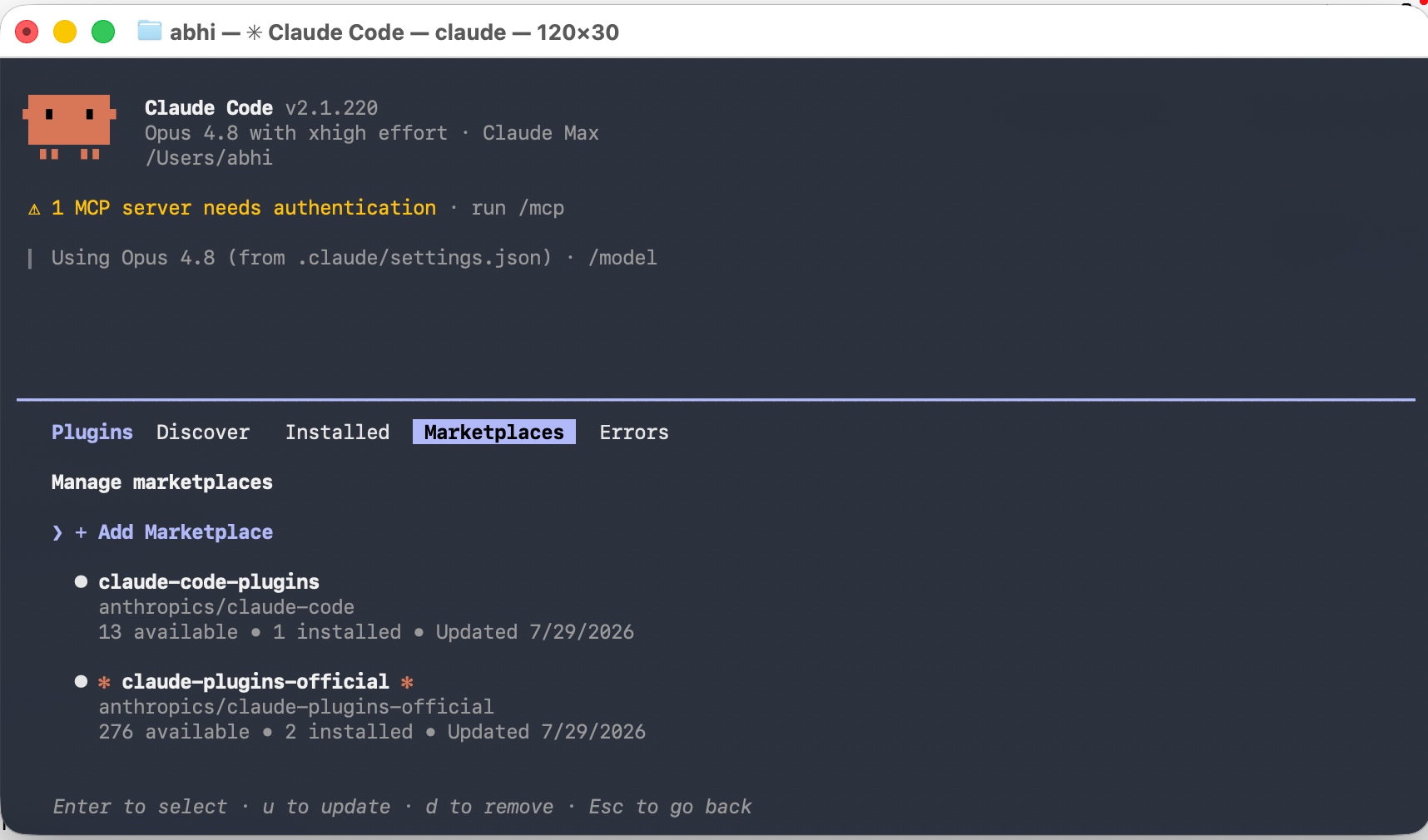
Plugin manager — Marketplaces tab, + Add Marketplace
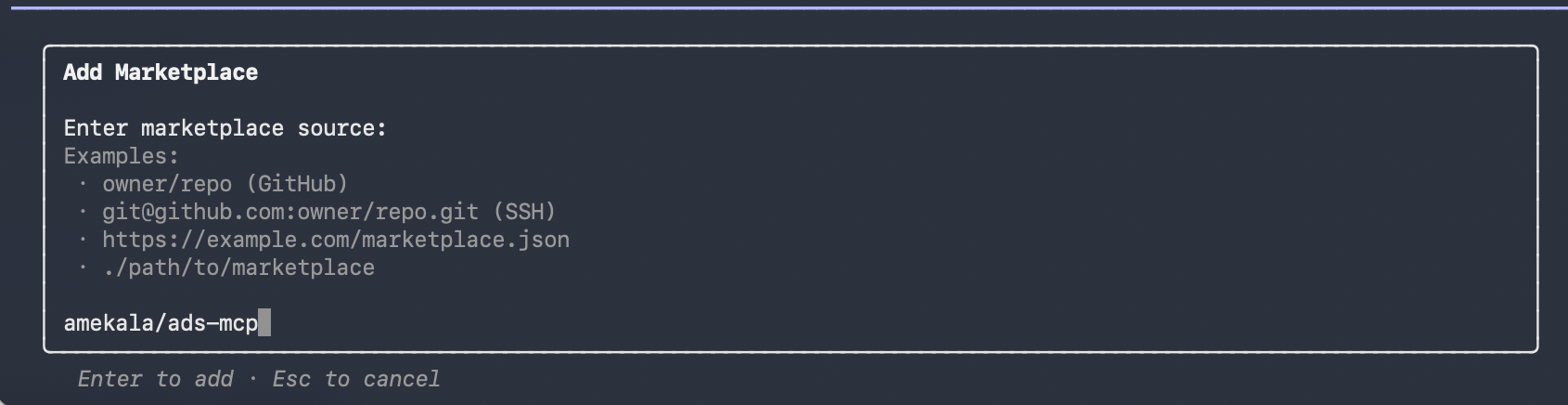
Add Marketplace — entering amekala/ads-mcp as the source
adspirer-marketplace) and downloads its plugin list. Or skip the UI and run it directly:Find and Install the Plugin
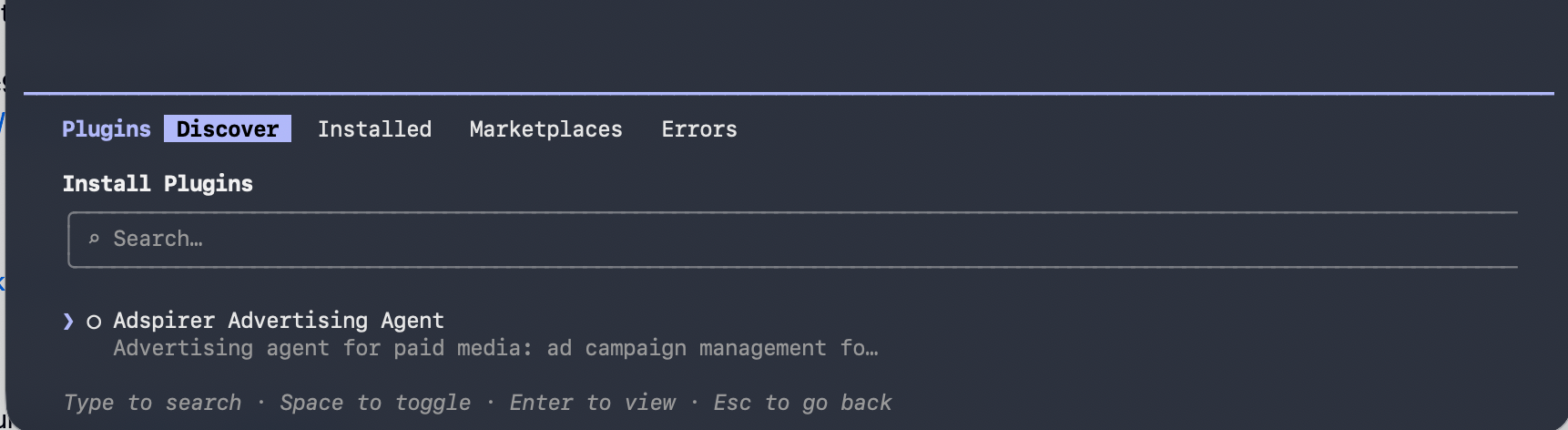
Discover tab — Adspirer Advertising Agent found after adding the marketplace
Reload Plugins
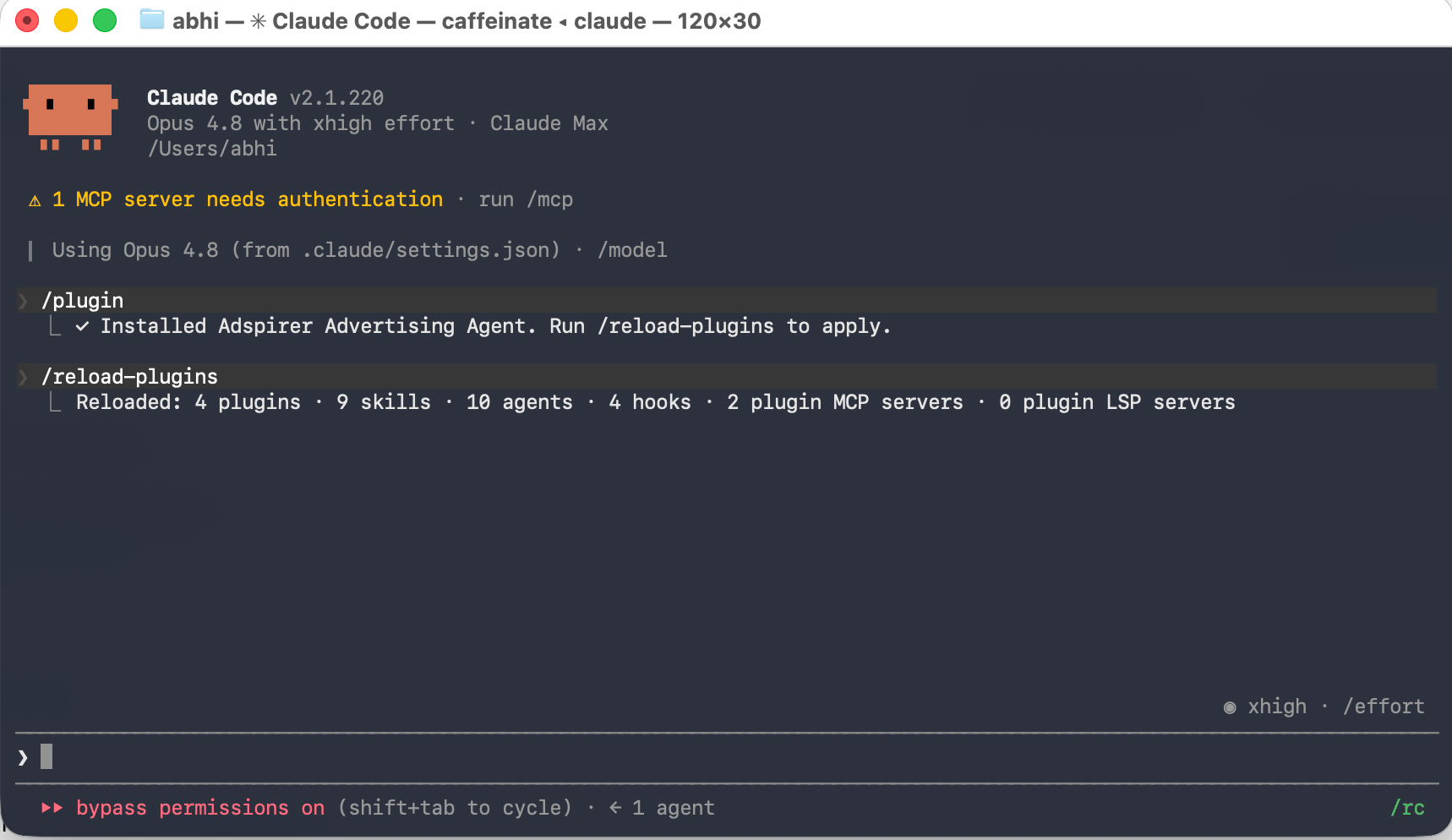
Plugin installed, then /reload-plugins applies it
Authenticate with Adspirer
/mcp to open the MCP server manager.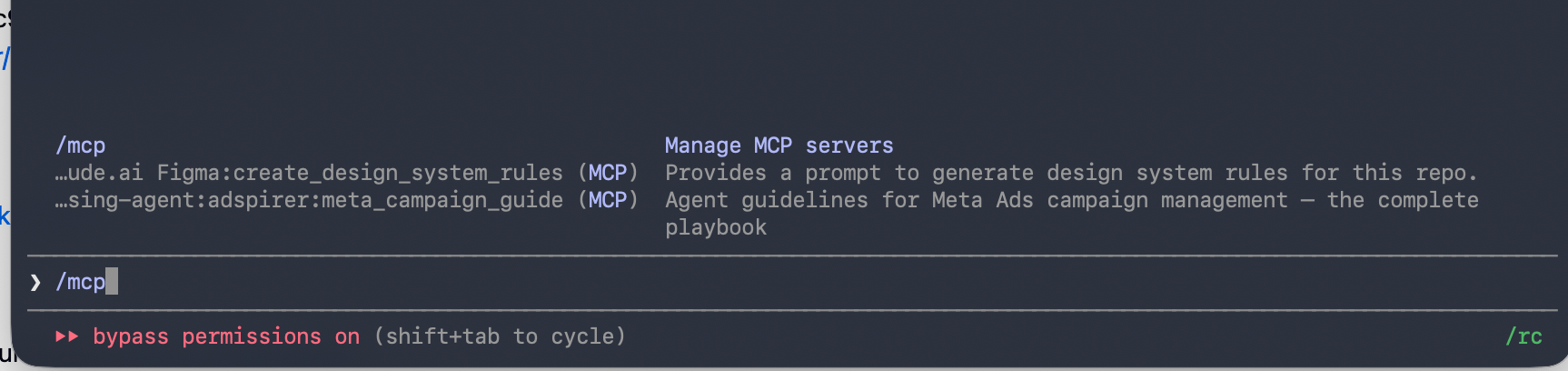
Typing /mcp to open the MCP server manager
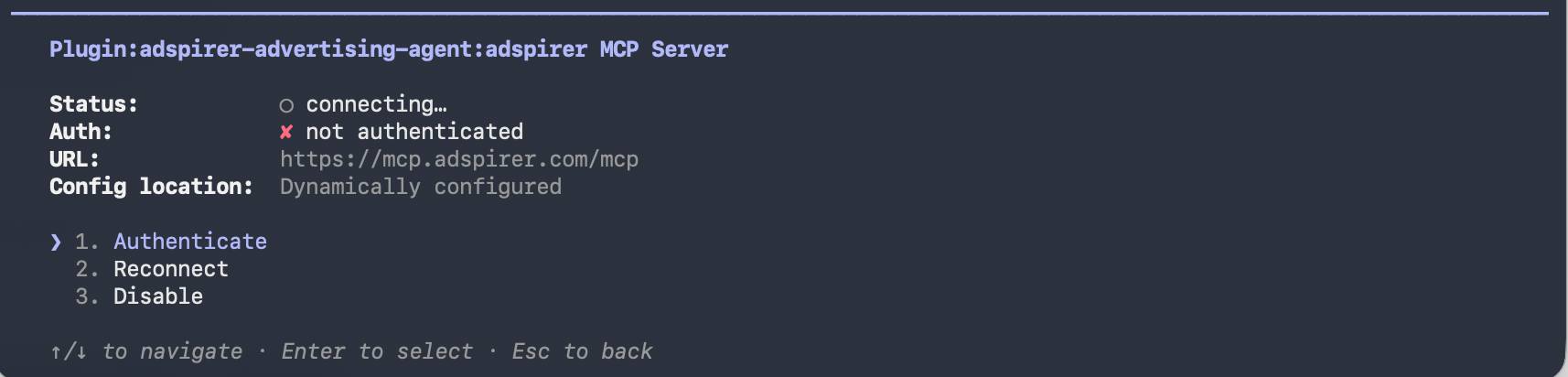
OAuth authorization — review and approve the requested scopes
/mcp (or /plugin) again — plugin:adspirer-advertising-agent:adspirer now shows connected with its full tool count. You’re ready to go.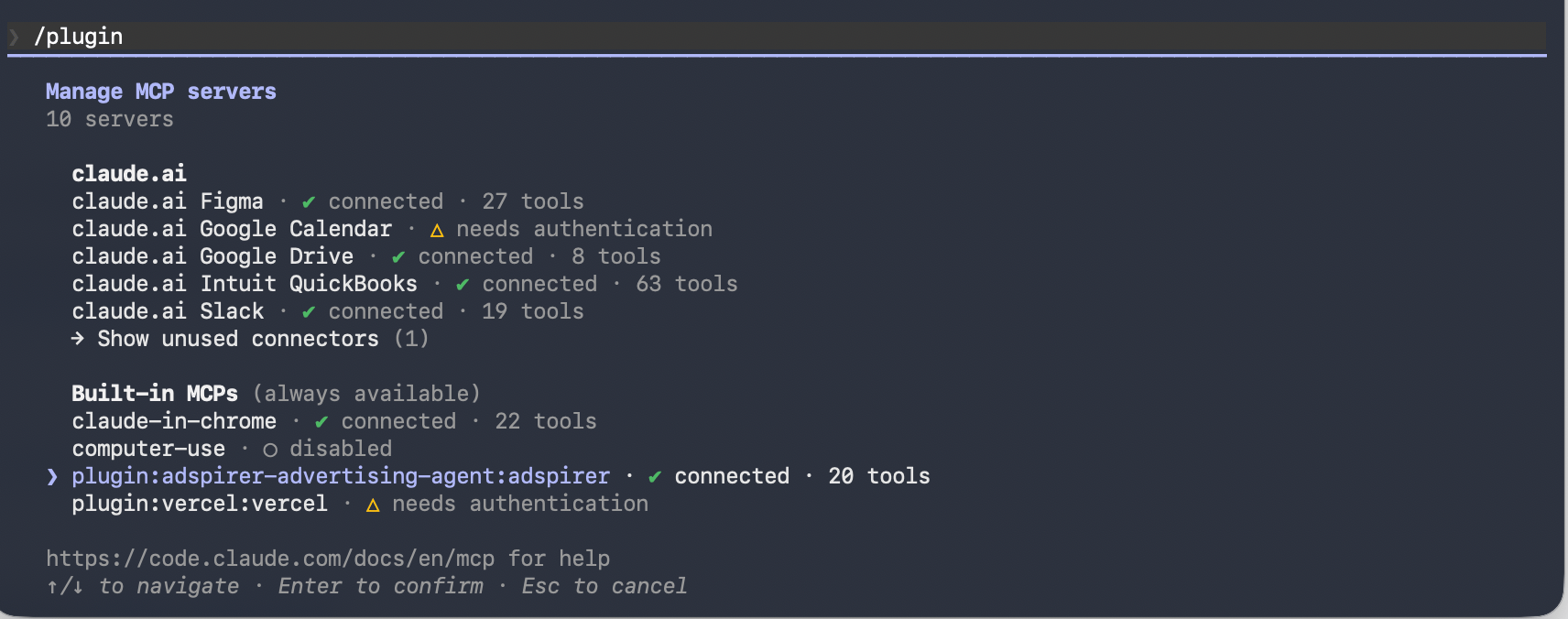
plugin:adspirer-advertising-agent:adspirer connected, 20 tools
Set Up Your Brand Workspace
CLAUDE.md brand workspace file.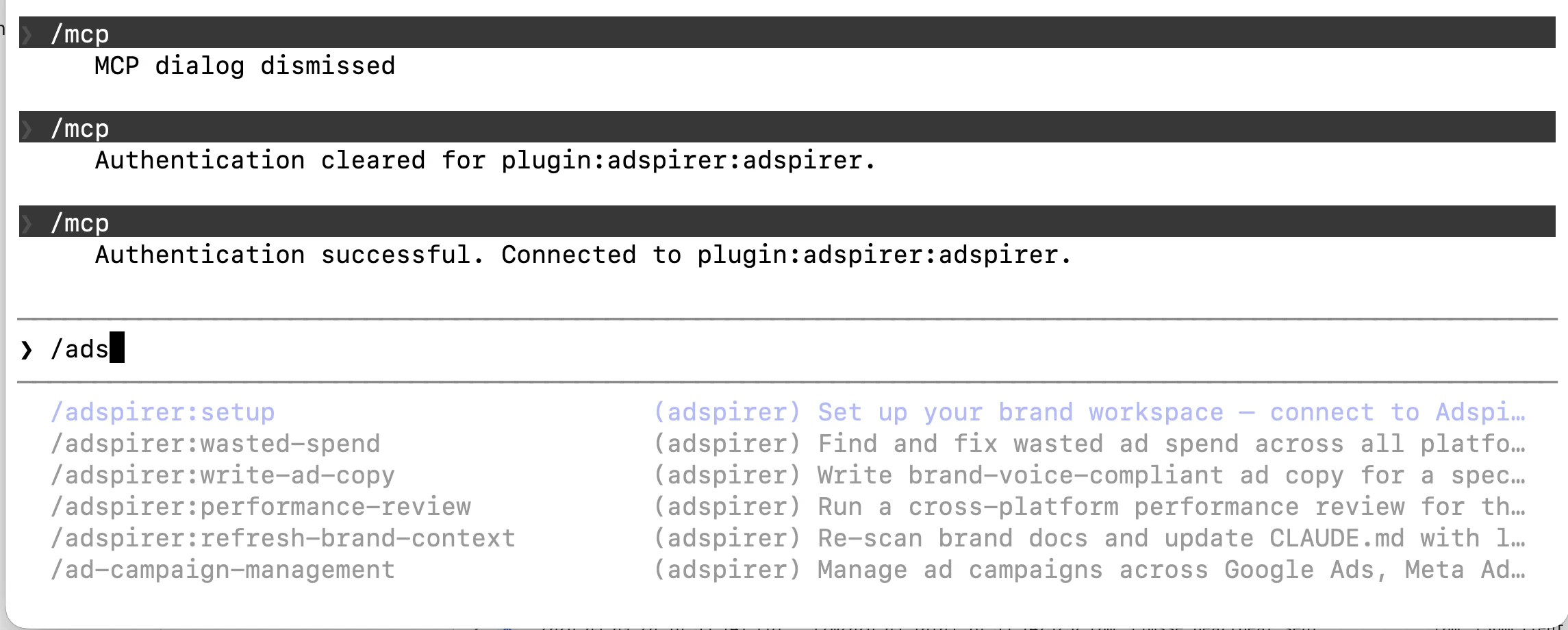
All Adspirer slash commands available after setup
Try It Now
Sign up for Adspirer — free to start
Verify Your Setup
Run a test prompt:Brand Workspace
When you run/adspirer:setup, the agent bootstraps a brand-specific workspace:
- Connects to Adspirer — verifies your ad platform connections
- Scans your folder — reads any brand docs (
.md,.txt,.csv,.yaml,.json,.pdf) for voice, audience, and budget context - Pulls live data — campaign performance, search terms, benchmarks from all connected platforms
- Creates
CLAUDE.md— a brand context file with connected platforms, performance snapshot, KPI targets, and brand guidelines
/adspirer:setup.
Your brand folder can contain docs or be completely empty — the agent builds context from your live ad platform data either way. More docs = better brand context = better ad copy and recommendations.
Slash Commands
The plugin includes 5 slash commands that trigger proven workflows:What You Can Do
400+ tools across 6 ad platforms. Here’s what matters:Example Prompts
What to actually say once you’re set up:Google Search Campaign
Google Search campaign with keyword research grouped by intent.
Google PMax Campaign
Performance Max campaign across all Google channels.
Meta Ads Campaign
Meta image campaign with audience targeting and creative copy.
LinkedIn Ads Campaign
LinkedIn B2B campaign targeting senior data leaders.
Cross-Platform Audit
Multi-platform audit with prioritized action list and savings estimate.
Safety Features
Adspirer’s agent skills enforce safety rules to prevent accidental spend:- All campaigns created PAUSED: You review before they go live
- User confirmation required: Claude asks before any action that affects spend
- Read-before-write: Skills force research and validation before campaign creation
- Connection status checks: Always verifies you’re managing the right account first
- No automatic retries: If a campaign creation fails, Claude won’t retry without asking
Troubleshooting
”Nested session” error when installing
If you seeError: Claude Code cannot be launched inside another Claude Code session, you’re asking the AI to install the plugin instead of typing the slash command yourself. The /plugin command must be typed directly into the Claude Code input — don’t ask Claude to run them for you.
Plugin not showing after install
Run/reload-plugins after installing, or restart Claude Code. Then verify via either:
/plugin→ Installed tab — you should see Adspirer Advertising Agent listed/mcp— you should see plugin:adspirer-advertising-agent:adspirer
/plugin → Marketplaces tab should list adspirer-marketplace), or refresh it: /plugin marketplace update adspirer-marketplace.
Authentication keeps failing
Clear your browser cache or try a different browser. The OAuth flow uses PKCE for security — some browser extensions can interfere. Disable ad blockers temporarily.MCP server not found
Run/mcp and look for plugin:adspirer-advertising-agent:adspirer. If it’s missing, run /reload-plugins or restart Claude Code. If it’s still missing, re-run:
Tools not working after connecting
Check your Adspirer account status at adspirer.ai. Free accounts get 15 tool calls/month. If you’ve hit the limit, upgrade to Plus (99/mo for 600 calls).Skills not loading
Verify the skills directory exists:Slash commands not available
If/adspirer:setup isn’t recognized, the plugin may not be installed. Run:
FAQ
Do I need to know MCP to use this?
Do I need to know MCP to use this?
What's the difference between Claude Code and Claude Cowork / Claude Desktop?
What's the difference between Claude Code and Claude Cowork / Claude Desktop?
claude in a shell, it works inside your codebase, optimized for software-engineering workflows. There’s also a Claude Code desktop / IDE-side surface.Claude Cowork is a completely different product — a brand-aware workspace mode inside the Claude desktop app (and on claude.ai). You open a folder, Claude reads its docs, and you collaborate with it on the work in that folder.Both support Adspirer through MCP, but they’re separate apps. Use Claude Code if you live in the terminal. Use Claude Cowork if you want a brand-aware workspace with folder context.What does the plugin install?
What does the plugin install?
adspirer-advertising-agent plugin installs: the MCP server connection, 5 slash commands (setup, performance-review, write-ad-copy, wasted-spend, refresh-brand-context), a performance marketing agent, and the ad campaign management skill file.Can I manage multiple ad accounts?
Can I manage multiple ad accounts?
switch_primary_account tool to change which account you’re managing, or specify the account ID in your prompts.How much does this cost?
How much does this cost?
Is my data safe?
Is my data safe?
Related Documentation
- Google Ads Integration Guide
- Claude Desktop + Adspirer
- Pricing & Plans
- All Documentation
- Prompt Engineering Playbook — A custom skill and prompt book generated from your own ad account; drop the skill folder into
.claude/skills/and its agent definition into.claude/agents/($39 one-time)