

/add-plugin adspirer in chat. That’s one install with no config file, no MCP URL, and no API key.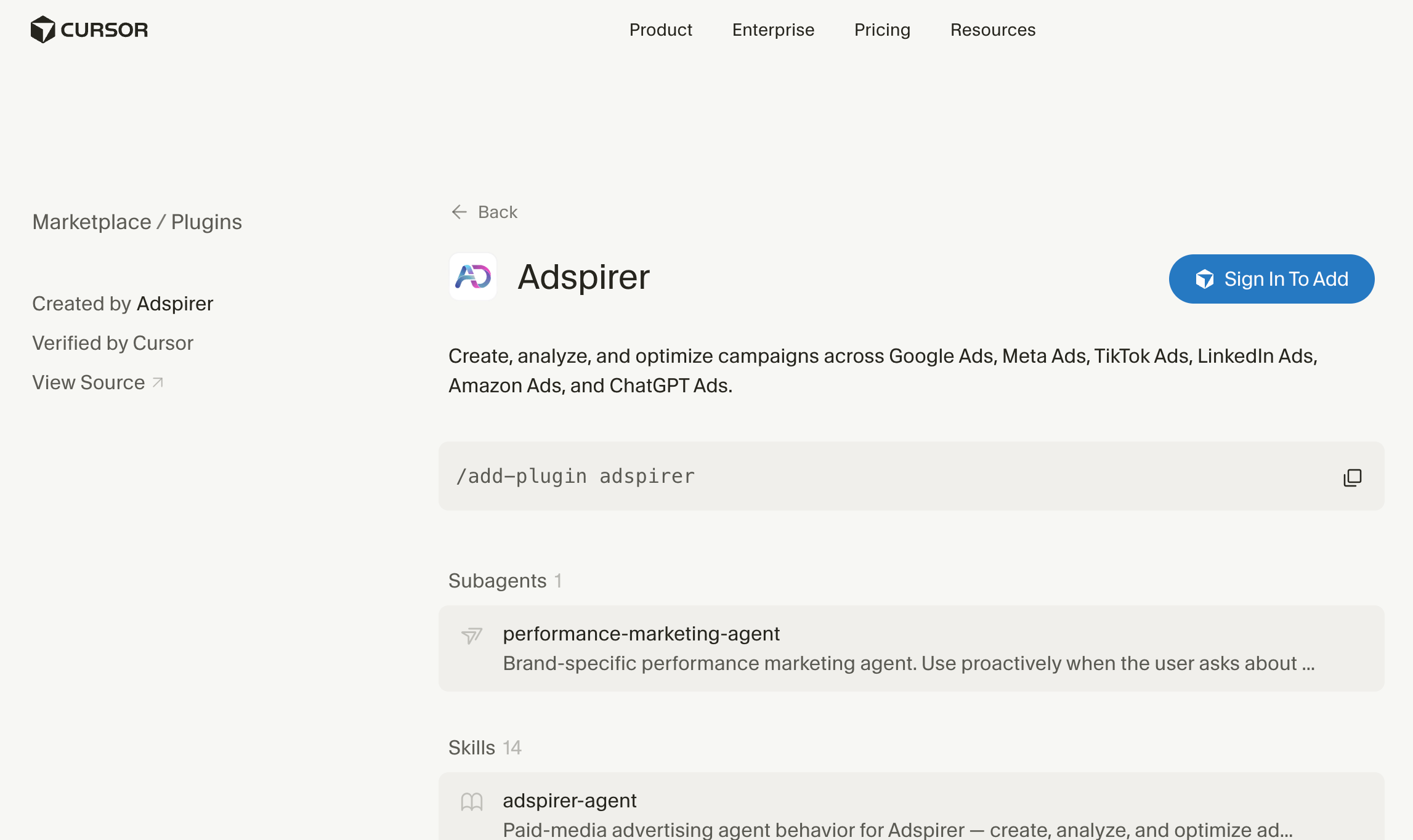
Adspirer on the Cursor Marketplace: Created by Adspirer, Verified by Cursor
Setup
- Install from Customize (Recommended)
- Install from chat
Open Customize
Search for Adspirer
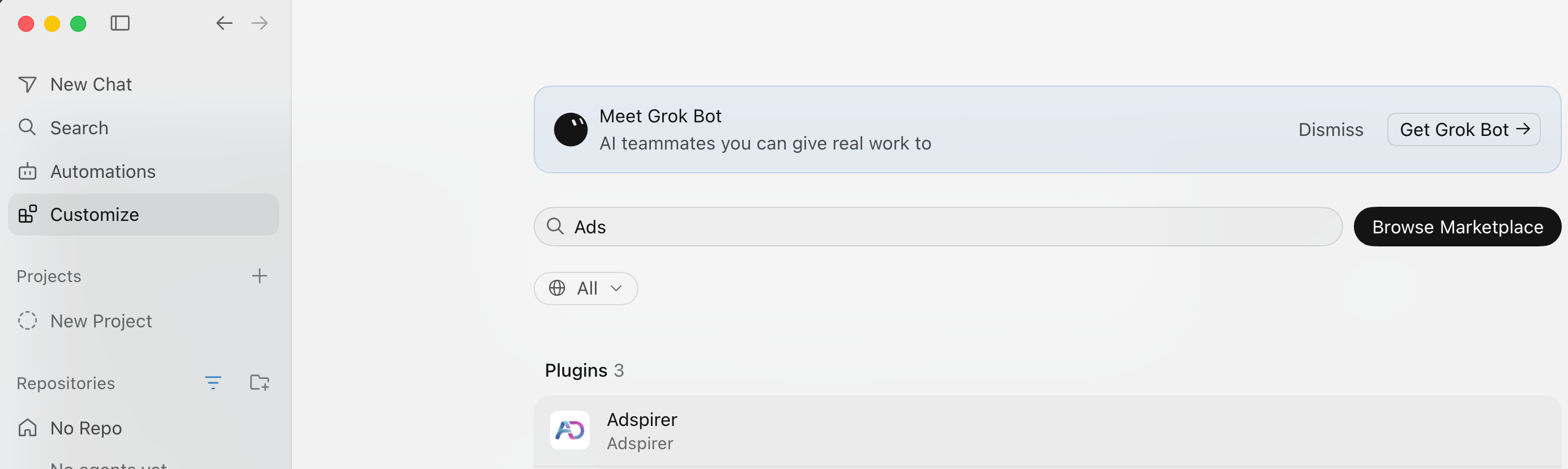
Customize — search the marketplace without leaving Cursor
Install it
- User — Adspirer is available in every Cursor project. Pick this if you manage ads regularly.
- Project — Adspirer is available only in this folder. Pick this when you’re working in one client’s workspace.
Sign in to Adspirer
Set up your brand workspace
BRAND.md. It asks before writing any file. If it doesn’t trigger on its own, run /adspirer-setup.Try it now
Sign up for Adspirer — free to start
What Gets Installed
One install brings in four things. You don’t copy files, clone a repo, or editmcp.json.
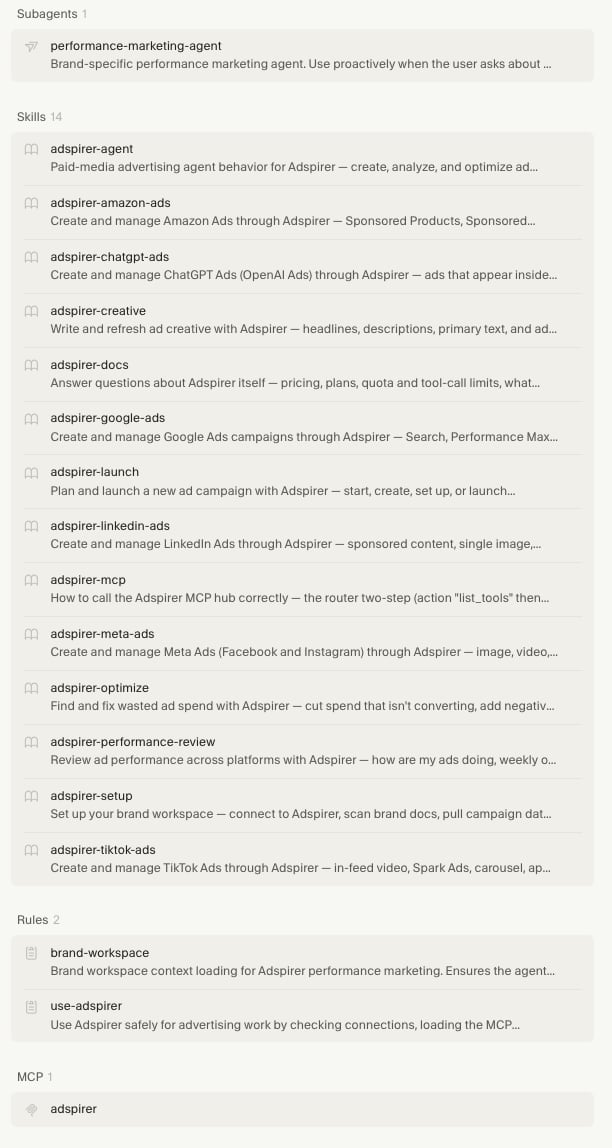
Everything the Adspirer plugin installs, as listed on the marketplace
The 14 Skills
Skills appear under Agent Decides in Customize. Cursor matches them automatically from what you ask — you only need the/ command when you want to force one.
Also Works in Grok Bot
The same marketplace listing installs into Grok Bot, where your bot runs the work in the cloud and can put it on a schedule. Install it once per product — a Cursor install doesn’t carry over.What You Can Do
400+ tools across 6 ad platforms, from Cursor’s chat or inline editing:Example Prompts
What to actually say to Cursor once you’re connected:Google Search Campaign
Google Search campaign for B2B with negative keyword suggestions.
Google PMax Campaign
PMax campaign for online courses with conversion tracking.
Meta Ads Creative Testing
Meta carousel campaign with per-card creative copy.
LinkedIn B2B Lead Gen
LinkedIn campaign targeting C-suite finance leaders.
Cross-Platform Performance Report
Multi-platform performance report with budget recommendations.
How the Rules Change Your Workflow
The plugin ships two rules that run automatically. You can see them under Rules in Customize and toggle each between Always, Agent Decides, and Manual.brand-workspace loads context before the agent answers: BRAND.md for voice, audiences, budgets and KPI targets, STRATEGY.md for binding directives, and past decisions from memory.
use-adspirer enforces the order of operations. Here’s the difference it makes:
Without the rule — you say “Create a Google Ads campaign for running shoes” and the agent calls create_search_campaign with generic parameters. It fails: no keyword research, no validated assets.
With the rule — the same sentence triggers the full workflow:
get_connections_status— verify you’re managing the right accountresearch_keywordson “running shoes” seeds, with real CPC data- Shows you the keyword and CPC data before going further
discover_existing_assets— reuse images and headlines you already havevalidate_and_prepare_assets— check them against Google’s requirementscreate_search_campaignwith validated data- Asks for your confirmation before anything is created
Safety
- Campaigns are created paused. Review before they spend.
- Spend-affecting writes need your approval. Campaign creation, budget changes, and bid changes all stop for confirmation.
- Read before write. Connection check, then research, then validate, then create.
- Results are read back. The agent re-reads what it created before reporting success.
- Campaigns are never deleted automatically.
- No credentials in the plugin. OAuth 2.1 with PKCE; your ad platform credentials stay server-side with Adspirer. The marketplace build ships no hooks, executables, or bundled server code, and talks only to
https://mcp.adspirer.com/mcp.
Troubleshooting
FAQ
Should I install at user scope or project scope?
Should I install at user scope or project scope?
Do I need to add Adspirer as an MCP server or edit mcp.json?
Do I need to add Adspirer as an MCP server or edit mcp.json?
adspirer MCP server for you, along with the subagent, skills, and rules. If you added https://mcp.adspirer.com/mcp to mcp.json or under Customize → MCP before the plugin existed, remove that entry so Cursor doesn’t load two copies of every tool.What happened to the install script?
What happened to the install script?
bash <(curl ...) installer predates the Cursor Marketplace — it copied skills, rules, and an agent into ~/.cursor/ by hand. The marketplace install does the same thing in one click, updates itself, and is reviewed by Cursor before each release. If you ran the old script, uninstall the copied files from ~/.cursor/skills/, ~/.cursor/agents/, and ~/.cursor/rules/ so they don’t duplicate the plugin’s.Can I use Adspirer with Cursor Composer?
Can I use Adspirer with Cursor Composer?
Where does the plugin keep brand context?
Where does the plugin keep brand context?
BRAND.md and STRATEGY.md live in your project root, so they’re yours to read and edit. Past decisions go in .cursor/memory/performance-marketing-agent/MEMORY.md.If you already have a BRAND.md that isn’t an Adspirer workspace, the agent leaves it alone and says so.How much does Adspirer cost?
How much does Adspirer cost?
Can I manage multiple ad accounts?
Can I manage multiple ad accounts?
switch_primary_account to change which one you’re managing, or name the account ID in your prompt. See multi-account.Related Documentation
- Grok Bot Setup — the same plugin, running in the cloud
- Cursor Agent — how the subagent, skills, and rules fit together
- Claude Code Setup Guide
- Google Ads Integration Guide
- Pricing & Plans
- All Documentation
- Prompt Engineering Playbook — A custom skill and prompt book generated from your own ad account ($39 one-time)