

Run Google Ads Directly from ChatGPT
Setup
- Custom MCP server (recommended)
- Adspirer plugin
mcp.adspirer.com directly, so you get every tool without waiting on a plugin review: Amazon Ads, ChatGPT Ads, Google Analytics, Google Search Console, and whatever ships next. ChatGPT saves it as a plugin of your own.Open Plugins → Add → Add custom MCP server
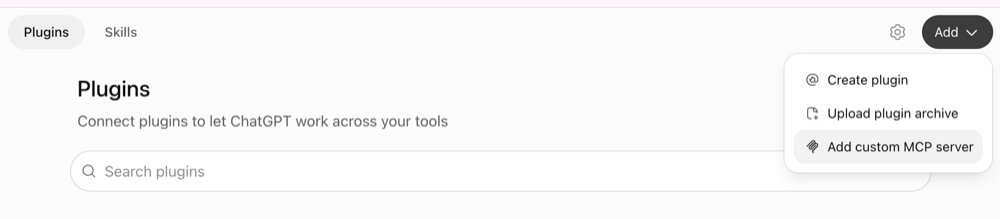
Plugins → Add → Add custom MCP server
Fill in the form
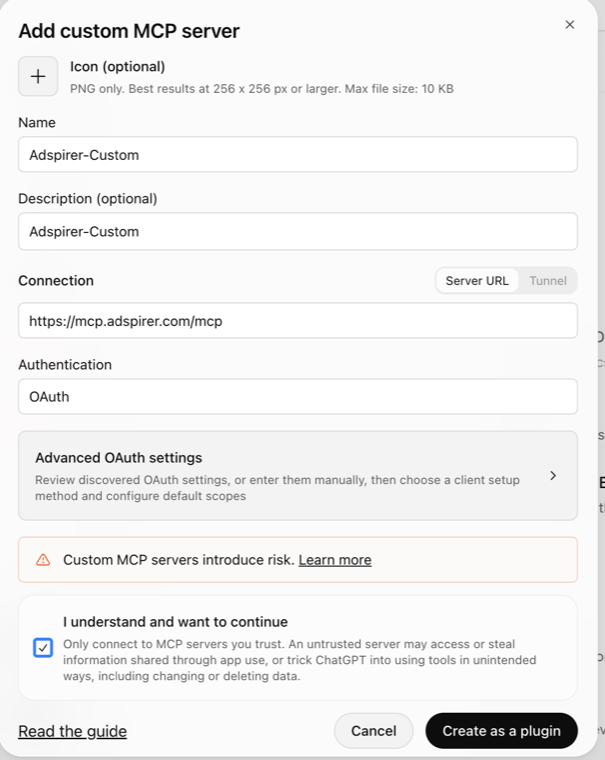
The Add custom MCP server form, filled in
Tick the box and click Create as a plugin
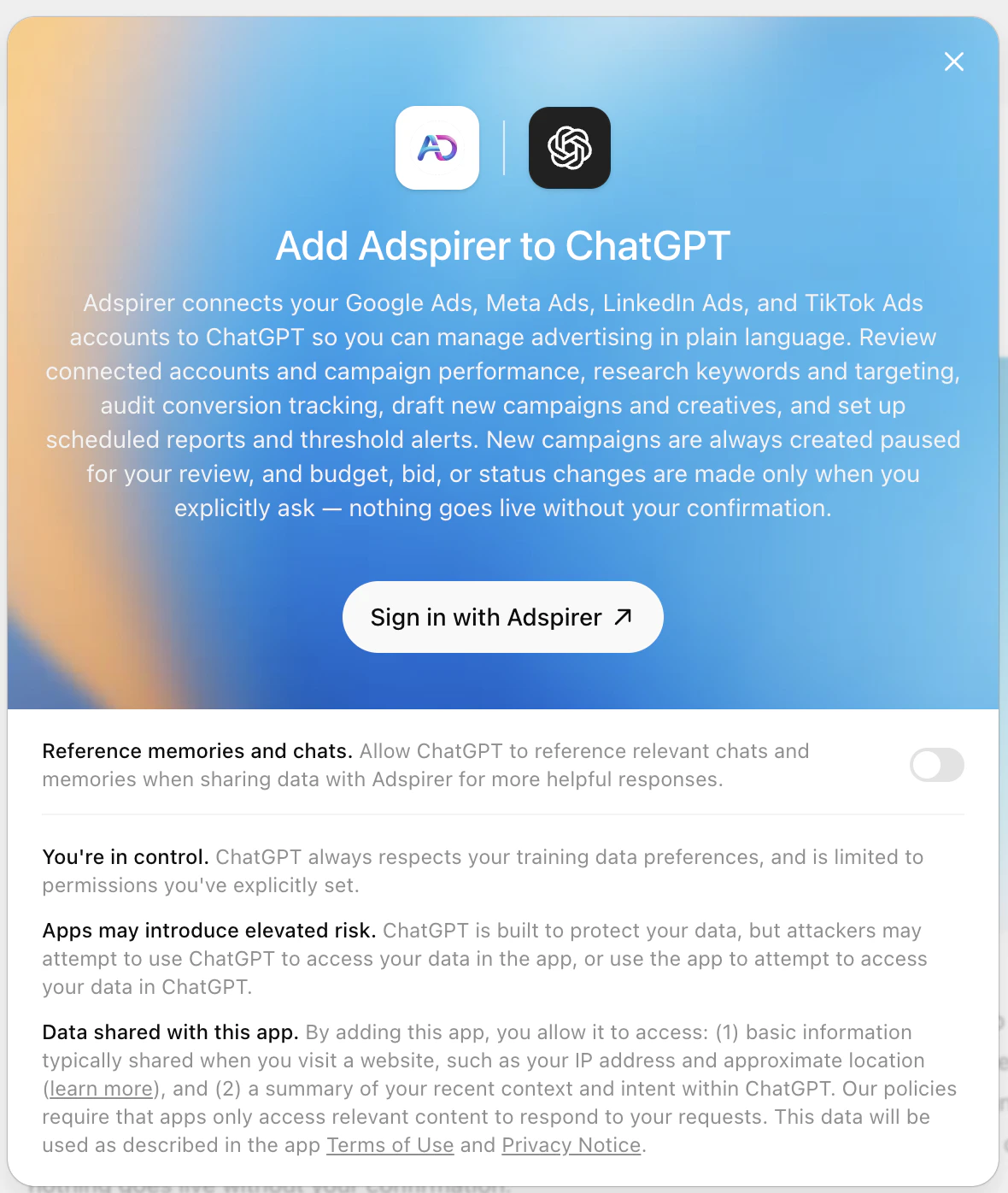
Connect the plugin
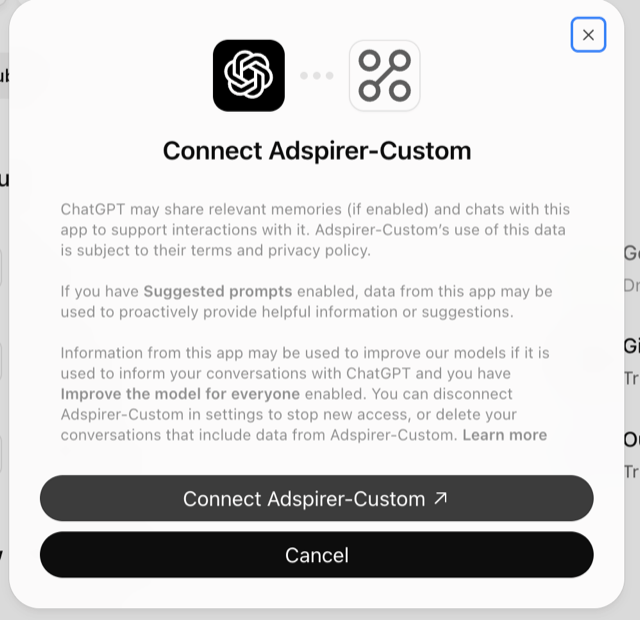
ChatGPT asks you to connect the plugin you created
Authorize ChatGPT on Adspirer
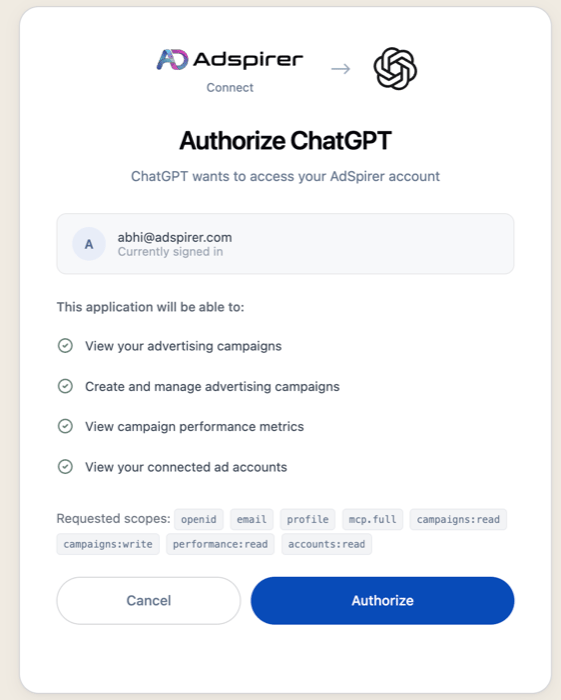
Adspirer's Authorize ChatGPT screen
Start managing ads
Sign up for Adspirer — free to start
Connection Details
Paste these into ChatGPT’s Add custom MCP server form:What You Can Do
400+ tools across 6 ad platforms, plus the Google Analytics and Google Search Console integrations. Everything below is available through a custom MCP server. The plugin is missing Amazon Ads, ChatGPT Ads, Google Analytics, and Google Search Console.Example Prompts
Research Keywords
Keyword research with real CPC data from Google Keyword Planner.
Create a Campaign
Google Search campaign with keyword research and intent grouping.
Audit Performance
Wasted spend audit for zero-conversion keywords.
Amazon Ads Wasted Spend
ACOS-based wasted spend analysis. Not in the plugin.
Ads vs. On-Site Behavior
Correlate Google Ads spend with GA4 sessions and conversions. Not in the plugin.
FAQ
Which should I use — the plugin or a custom MCP server?
Which should I use — the plugin or a custom MCP server?
Can I have both installed at once?
Can I have both installed at once?
Why does ChatGPT warn that custom MCP servers introduce risk?
Why does ChatGPT warn that custom MCP servers introduce risk?
I installed the plugin and ChatGPT can't find any Amazon Ads, ChatGPT Ads, or Google Analytics tools.
I installed the plugin and ChatGPT can't find any Amazon Ads, ChatGPT Ads, or Google Analytics tools.
ChatGPT says a required tool isn't available and stops mid-task.
ChatGPT says a required tool isn't available and stops mid-task.
get_tool_schema before calling it — that’s what stops it inventing an argument. The plugin’s tool list is fixed at the version OpenAI last approved, and on some installs get_tool_schema isn’t in it, so ChatGPT would report a required tool as missing and stop.It now works around it on its own: the assistant is told to fetch the schema through a platform router instead, which returns the same thing. If an older chat still gets stuck, start a new one so ChatGPT picks up the current instructions. A custom MCP server never hits this — it always carries the current tool list.What are ChatGPT plugins? Are they the same as apps?
What are ChatGPT plugins? Are they the same as apps?
Which ChatGPT plans work with Adspirer?
Which ChatGPT plans work with Adspirer?
How is ChatGPT different from Claude for ads?
How is ChatGPT different from Claude for ads?
Can I use Adspirer with both ChatGPT and Claude?
Can I use Adspirer with both ChatGPT and Claude?
How much does this cost?
How much does this cost?
Tools aren't working or I see connection errors. What do I do?
Tools aren't working or I see connection errors. What do I do?
- Check tool permissions: In Settings → Plugins, set your Adspirer plugin to Allow low-risk tools, so read tools run on their own and changes still ask first, or to Always ask. If you blocked tools by accident, reset the permission there.
- Reconnect:
- Custom MCP server — Settings → Plugins, remove the plugin you created, then Plugins → Add → Add custom MCP server again with
https://mcp.adspirer.com/mcpand sign in. - Adspirer plugin — the plugin is having issues right now. Disconnect it in Settings → Plugins and add the custom MCP server instead.
- Custom MCP server — Settings → Plugins, remove the plugin you created, then Plugins → Add → Add custom MCP server again with
- Refresh your Adspirer session: Go to adspirer.ai, log out, log back in, then return to ChatGPT.
Related Documentation
- Amazon Ads Integration — Sponsored Products, Brands, and Display (custom MCP server)
- Google Analytics 4 Integration — Correlate ad spend with on-site behavior (custom MCP server)
- Claude Setup — the Anthropic-verified Adspirer connector, with progress streaming
- Perplexity Setup — Search-powered ad management via Perplexity Computer
- Claude Code Setup — Terminal-based setup for developers
- Google Ads Integration — Full Google Ads tool reference
- How to Connect ChatGPT to Google Ads — Step-by-step walkthrough with example prompts
- ChatGPT Apps vs Custom GPTs for Advertising — Which ChatGPT setup is right for managing ad campaigns
- Pricing & Plans
- Prompt Engineering Playbook — A custom skill and prompt book generated from your own ad account; paste its agent instructions into a ChatGPT Project ($39 one-time)